Wire a pipeline on a canvas and press Run. A node can be code in any of ten languages, a folder of files on your own disk, an AI model, an image operation, or one of thousands of operations on the services you already use. Deploy it to a URL or a schedule when it works.
Part of Circuitry Studio — the same AI works in every surface, on the models you choose.
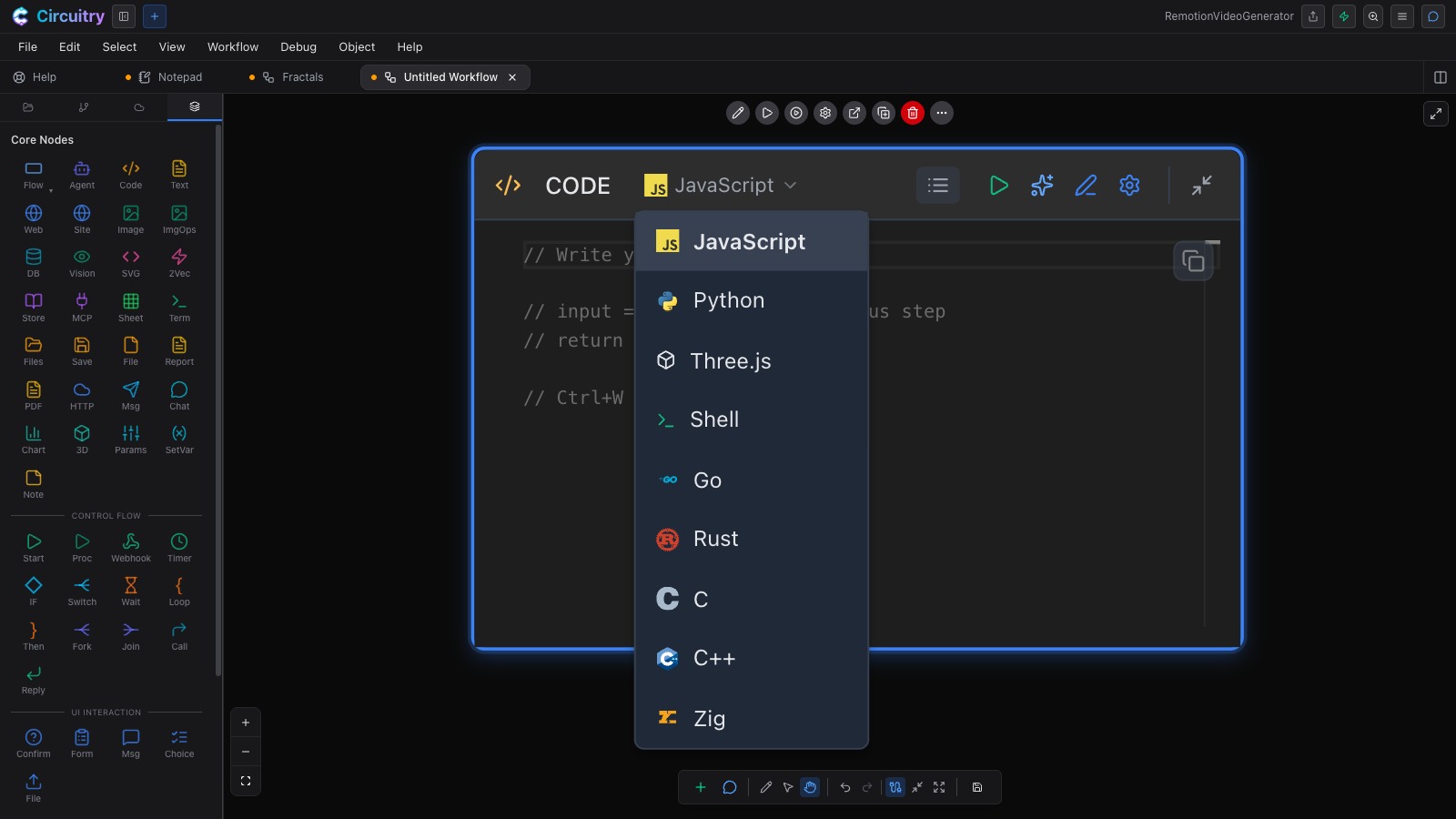
Ten to pick from on the node itself — JavaScript, TypeScript, Python, Three.js, Shell, Go, Rust, C, C++ and Zig. Each node has its own run button, so you test that one step before you wire the next. Go, Rust, C, C++ and Zig compile to WebAssembly, and Python runs on a WebAssembly runtime — so the workflow runs inside Circuitry on whatever device you opened it on, and in the cloud once you deploy it. Point Python at your own machine through Circuit and it runs there natively instead.
The language menu on a single Code node.
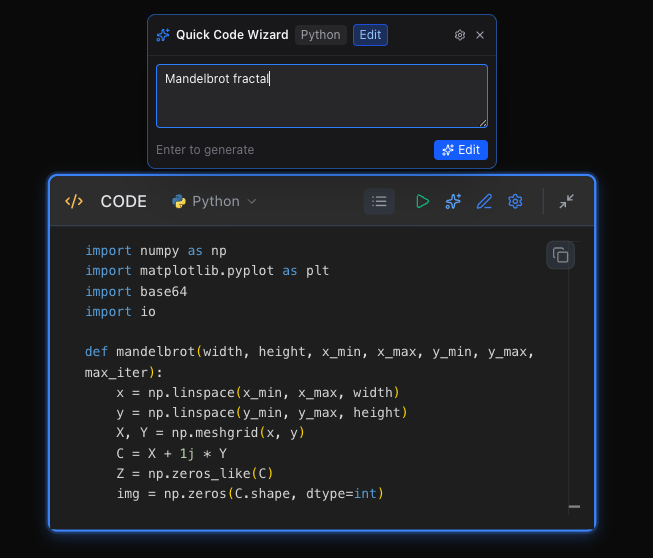
Every node type carries one. Type a line — “Mandelbrot fractal”, “resize to 800px wide”, “post it to the channel” — and the node comes back configured, with whatever it wrote there to edit.
One line in, working Python out.
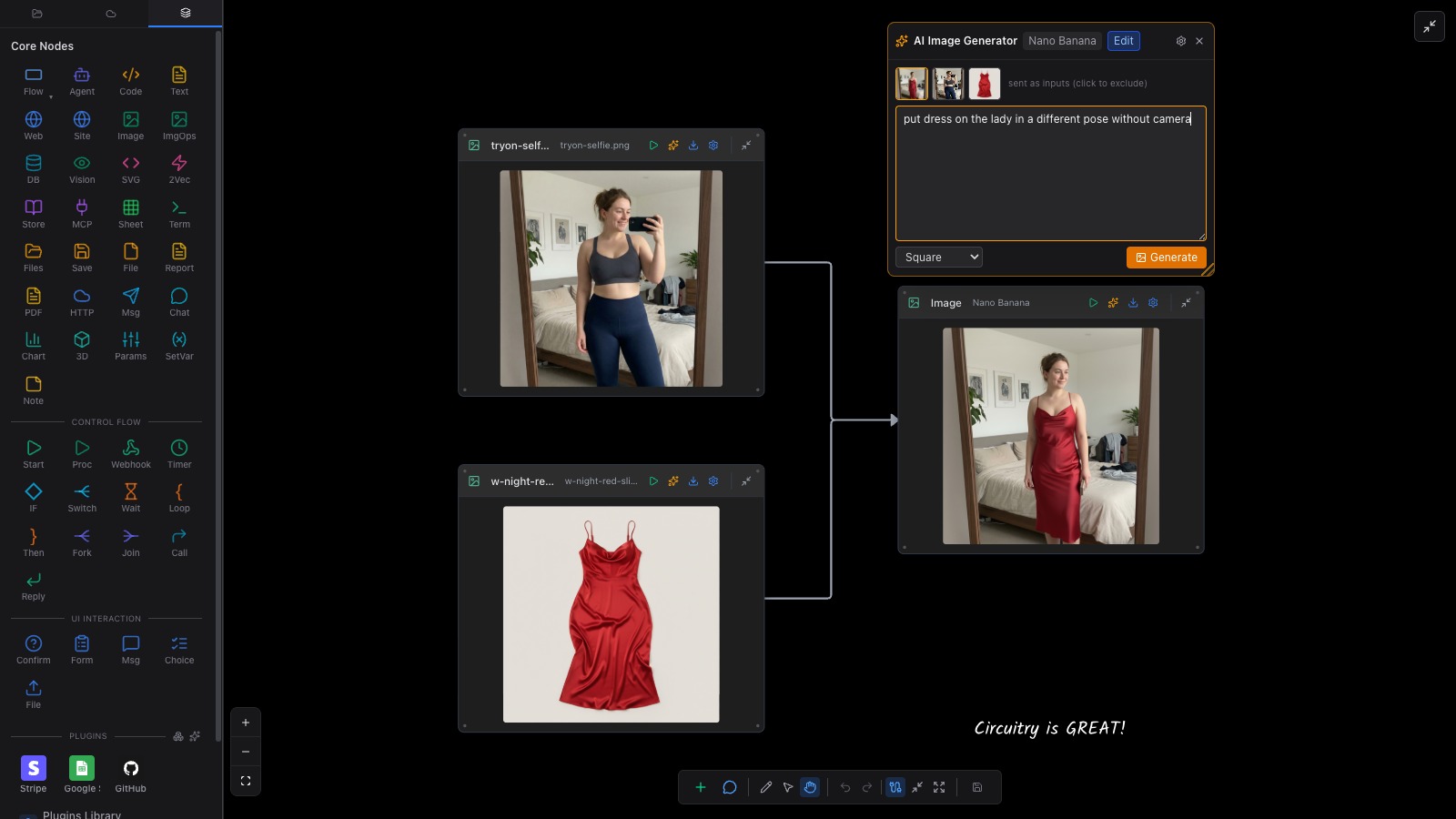
Run a node and its output is real. Add the next one and its wizard reads that output — the shape and the values — so what it writes lands on your actual fields. Wire a selfie and a dress into an image step, type “put dress on the lady in a different pose without camera”, and both pictures are already sitting there as inputs.
The selfie and the dress, picked up as inputs on their own, and what came back.
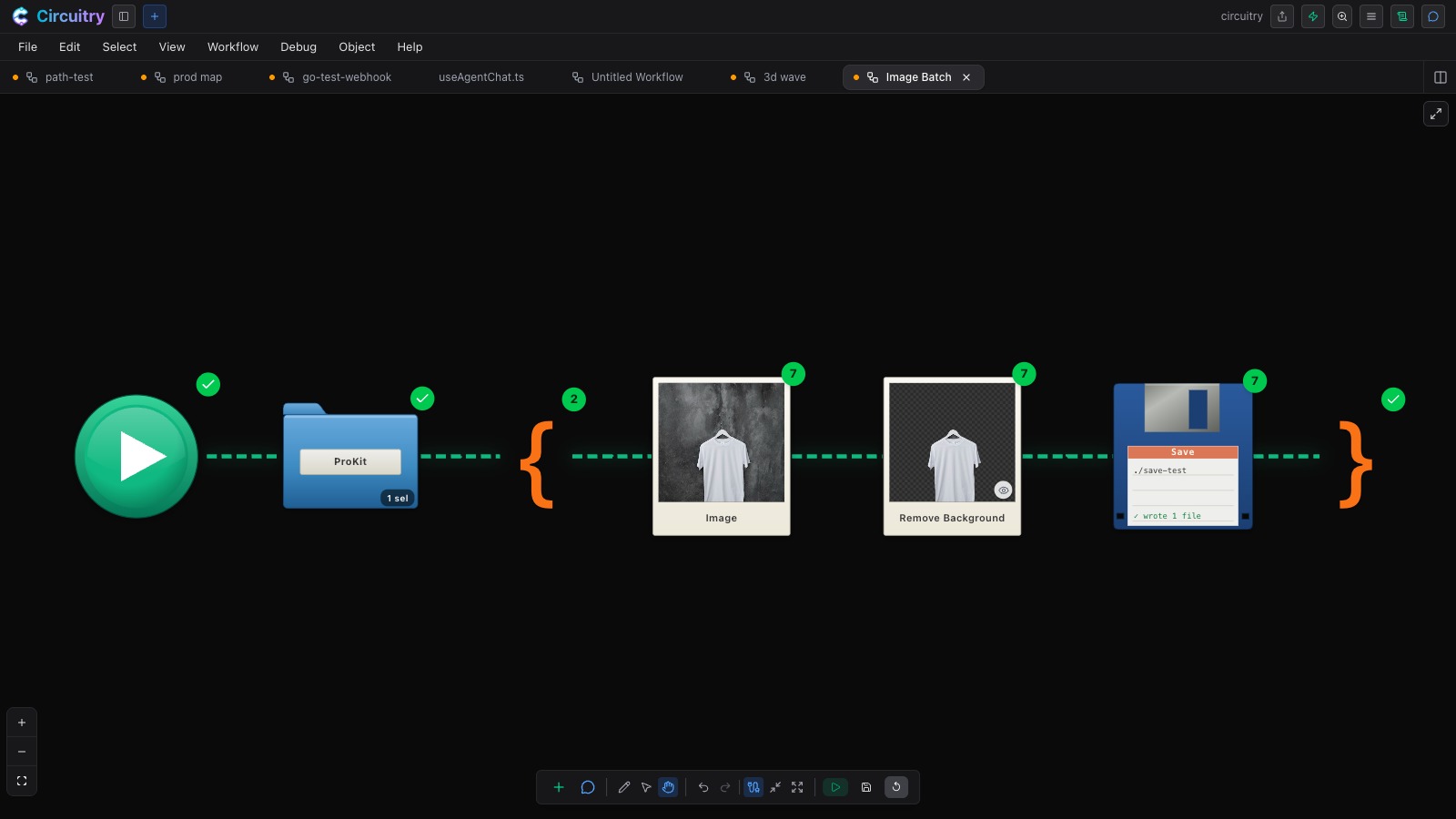
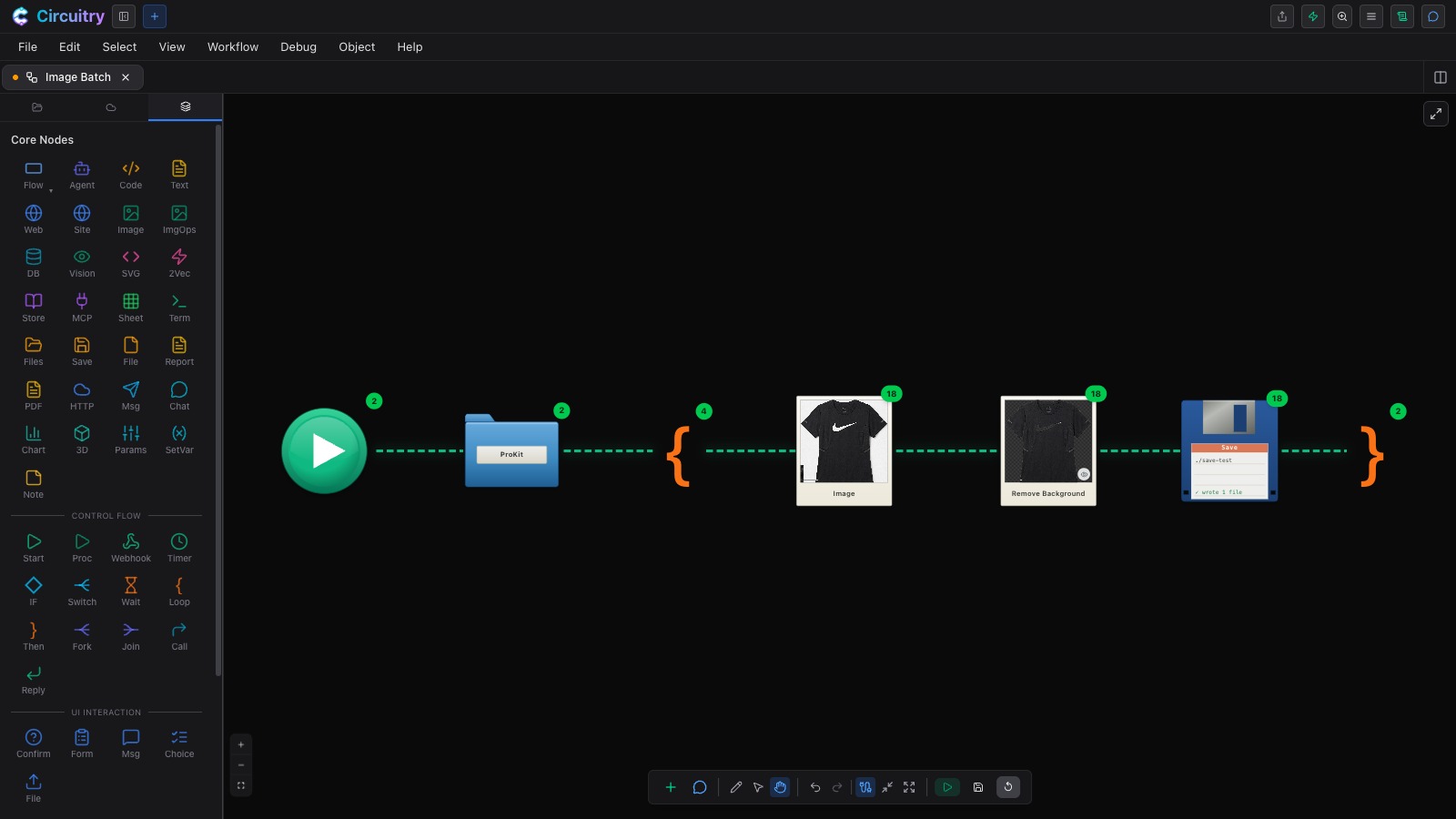
Point a Files node at a folder, put a Loop around the work, and Save writes each result back out. Resize a hundred photos, OCR a stack of receipts, strip metadata, build a full app-icon set, remove backgrounds. The badges count each file through the loop as it runs.
Seven images through the loop, seven files written.
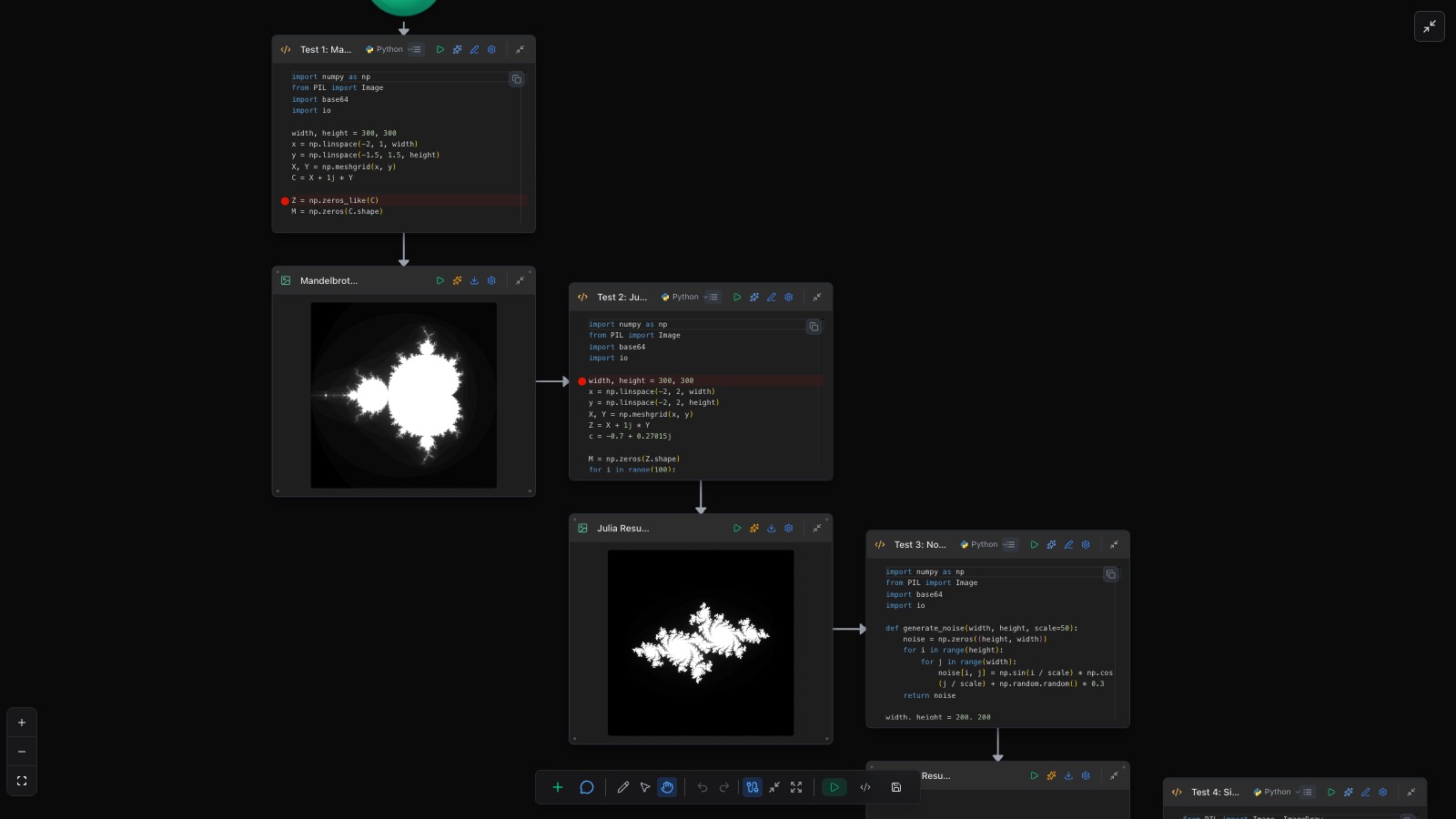
Wire a step into an Image node and it renders the picture; into a Chart node and it plots the data; into a 3D node and it runs the Three.js scene, animation and all. The result sits beside the code that made it, so a change and its effect are in the same glance.
Code node, then the picture it produced.
Each Agent node picks its own model, so a Fork can hand the same input to three of them and put their three answers on the canvas at once. The run log records which model each node used and how long it took.
Press D and the board becomes a whiteboard — the full pen tray, on the running system. Circle the part that’s slow, sketch the next stage beside the built one, hand it to someone over live collaboration. The ink stays where you put it; the workflow still runs.
The board is where you get the behaviour right; the agent is what puts it into your project. Ask it to implement the flow in your code, come back later and ask it whether the code still matches the board, or change the board and ask it to update the code. The Generate Code button also exports the flow directly.
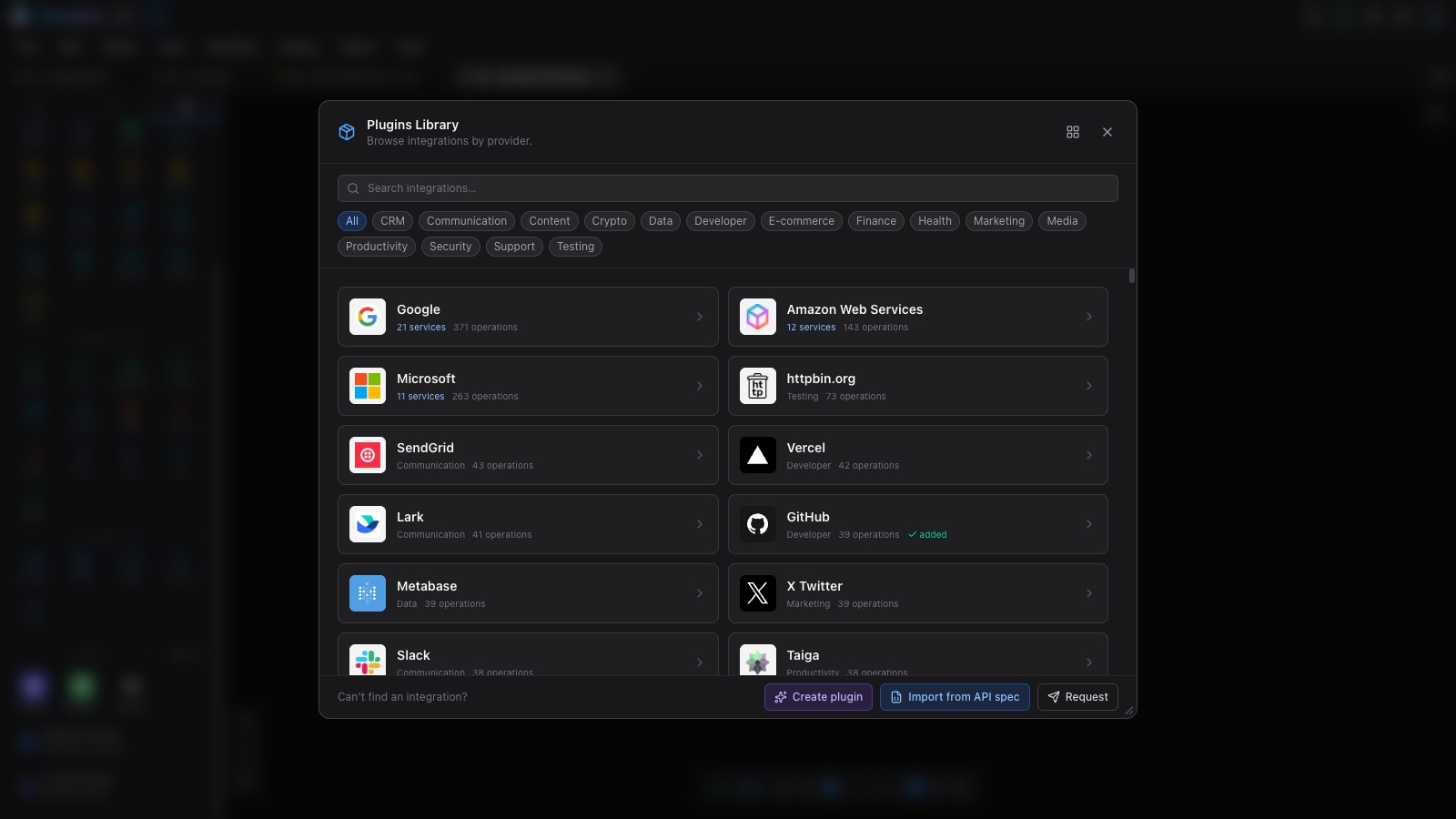
The Plugins Library holds ready-configured integrations from hundreds of providers, browsable by category. If the one you need isn’t there, the wizard builds it — from an API spec file, or by reading the service’s own documentation. That includes your company’s private endpoints.
The plugin library — providers with their service and operation counts, filtered by category.
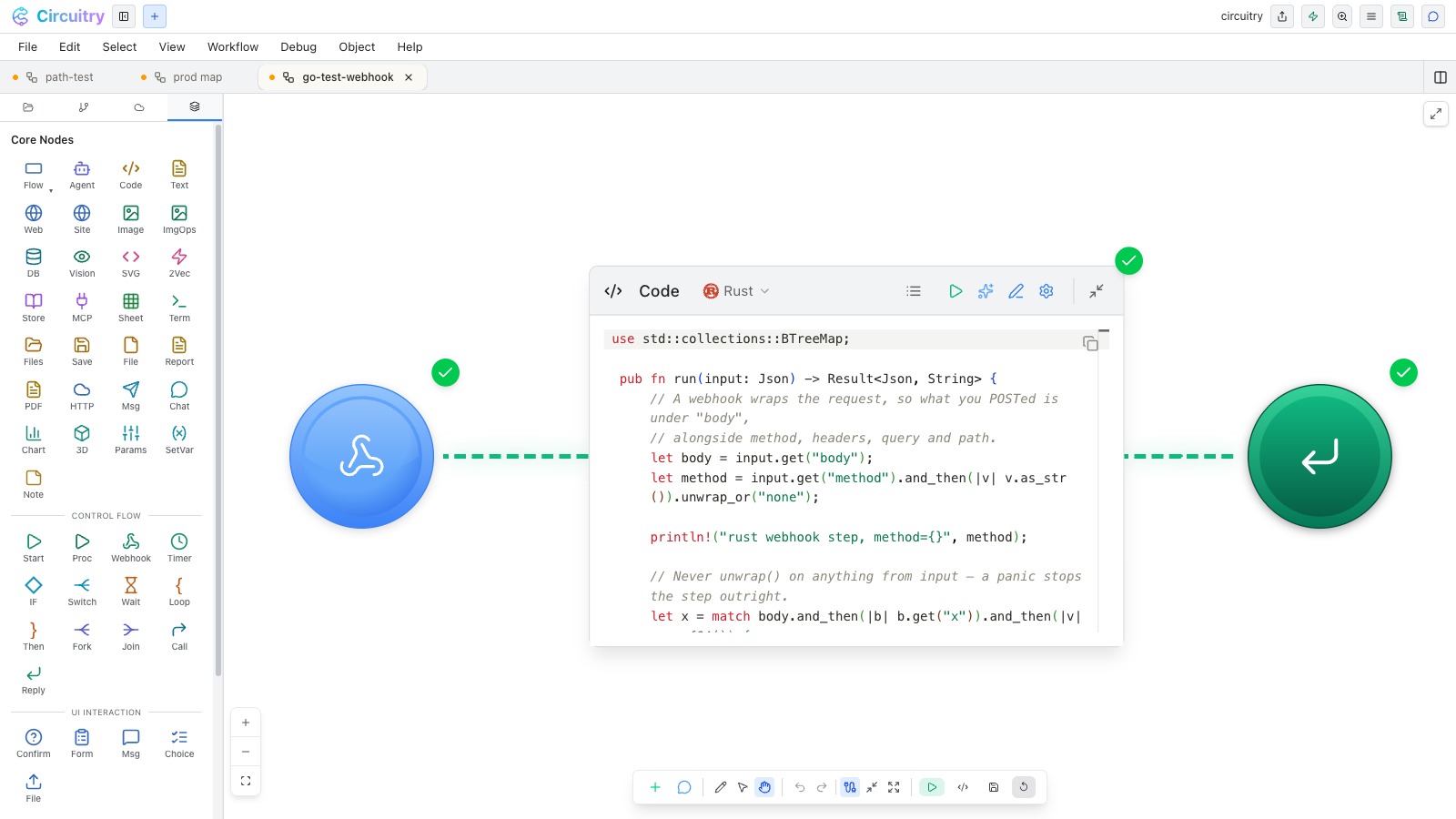
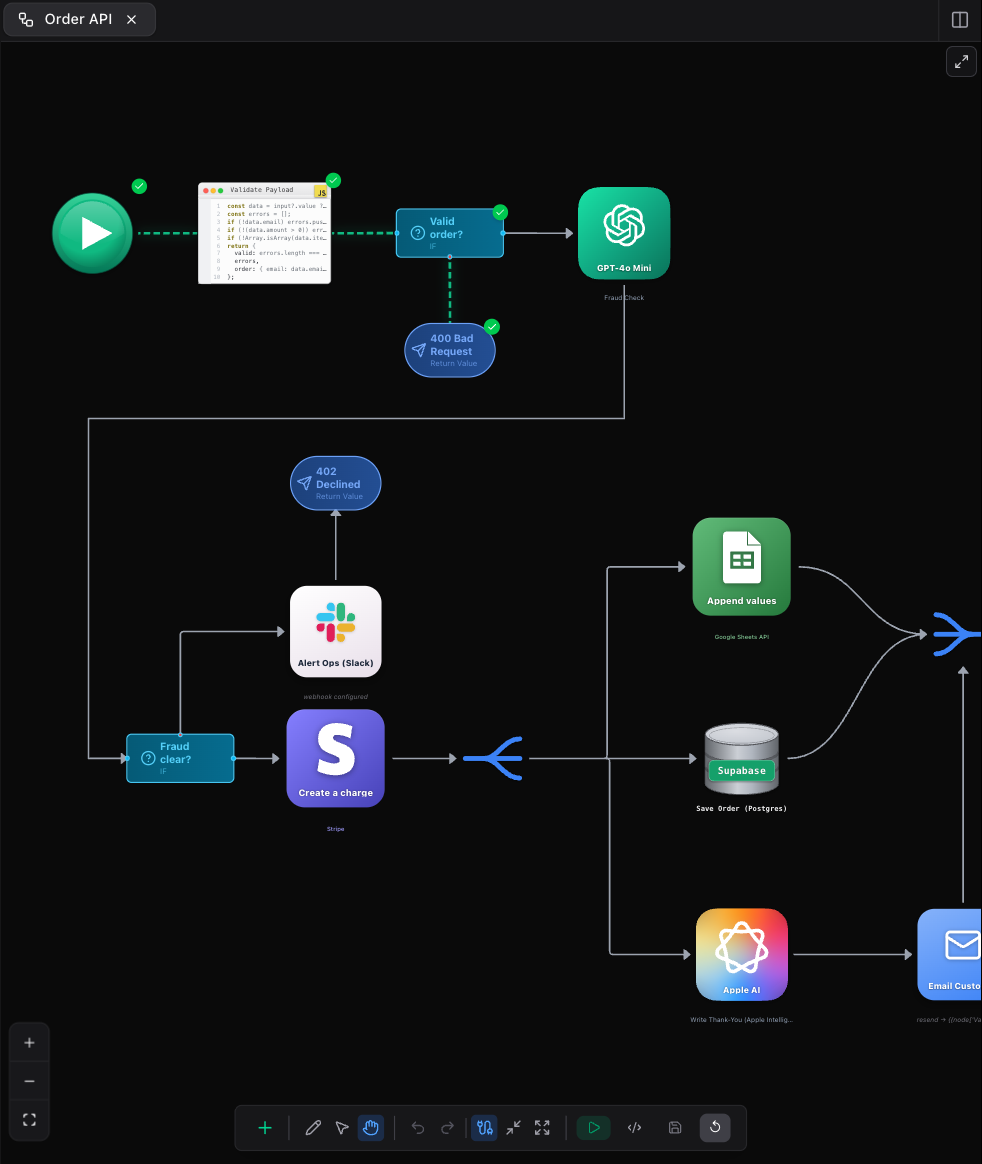
A webhook, a Rust step, a reply — that whole flow is the endpoint.
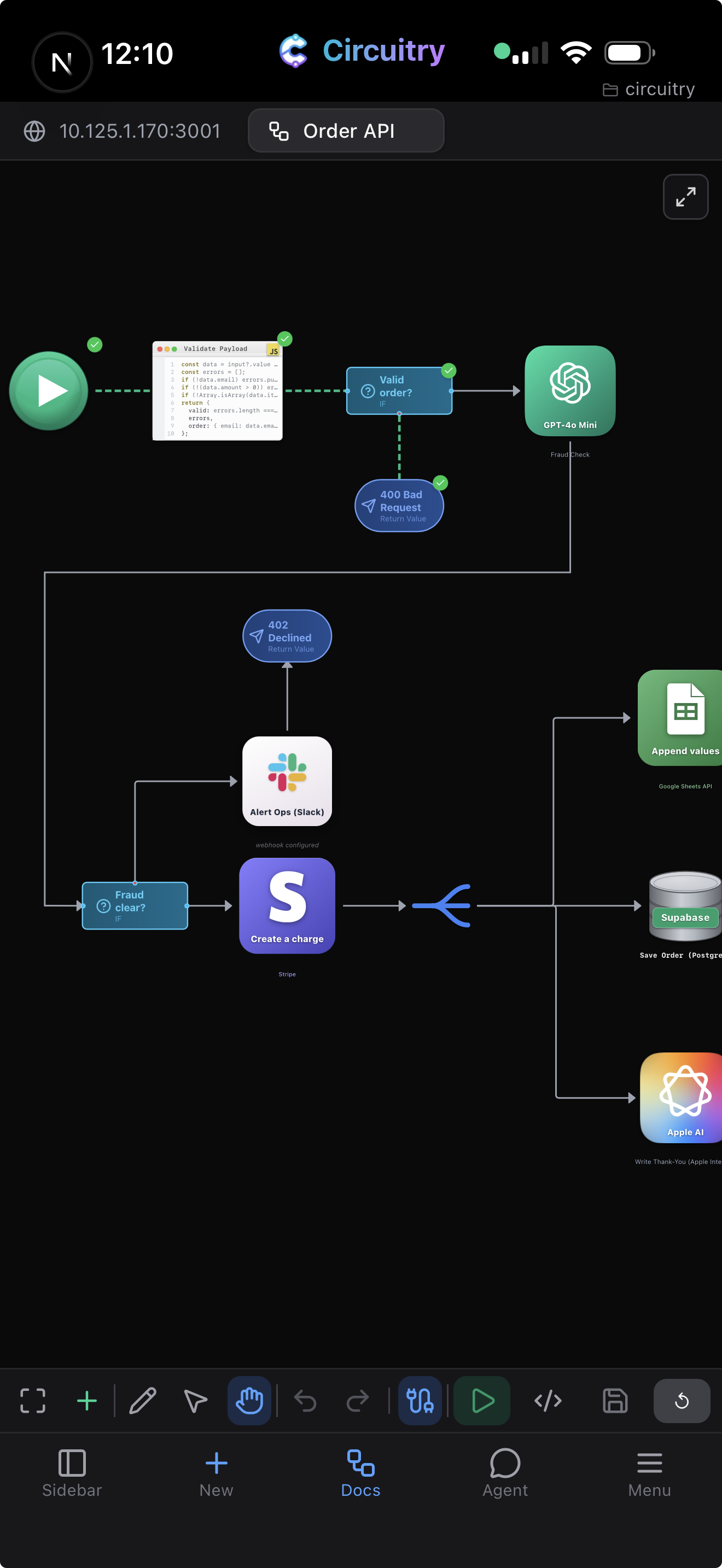
Same workflows, same tools. Start a run, change a node, or wire a new board from nothing — and the terminal, the code editor and every other surface are there beside it, laid out for a touchscreen rather than trimmed down for one.
The same board, mid-run, on a phone.
Batch a folder of product photos, strip the background from each and write them back to disk. Chart the numbers a step just computed, or render a 3D scene. Call the services you already pay for, and put the finished board behind a URL or a schedule. One canvas covers all of it, on your own machine or in the cloud.
A folder of product photos: background removed from each, saved back to disk.
Free for non-commercial use. Deploying a workflow to the cloud, and reaching your own machine from a phone or tablet, need a paid plan.
The other surfaces in the studio