CodeBookCells, output, and a real debugger.

One scrolling document of code, prose, charts, sheets, figures and AI steps. Put a breakpoint in a cell and step through it, with variables, watches and the call stack beside you. Every code cell picks its own language.

Part of Circuitry Studio — the same AI works in every surface, on the models you choose.
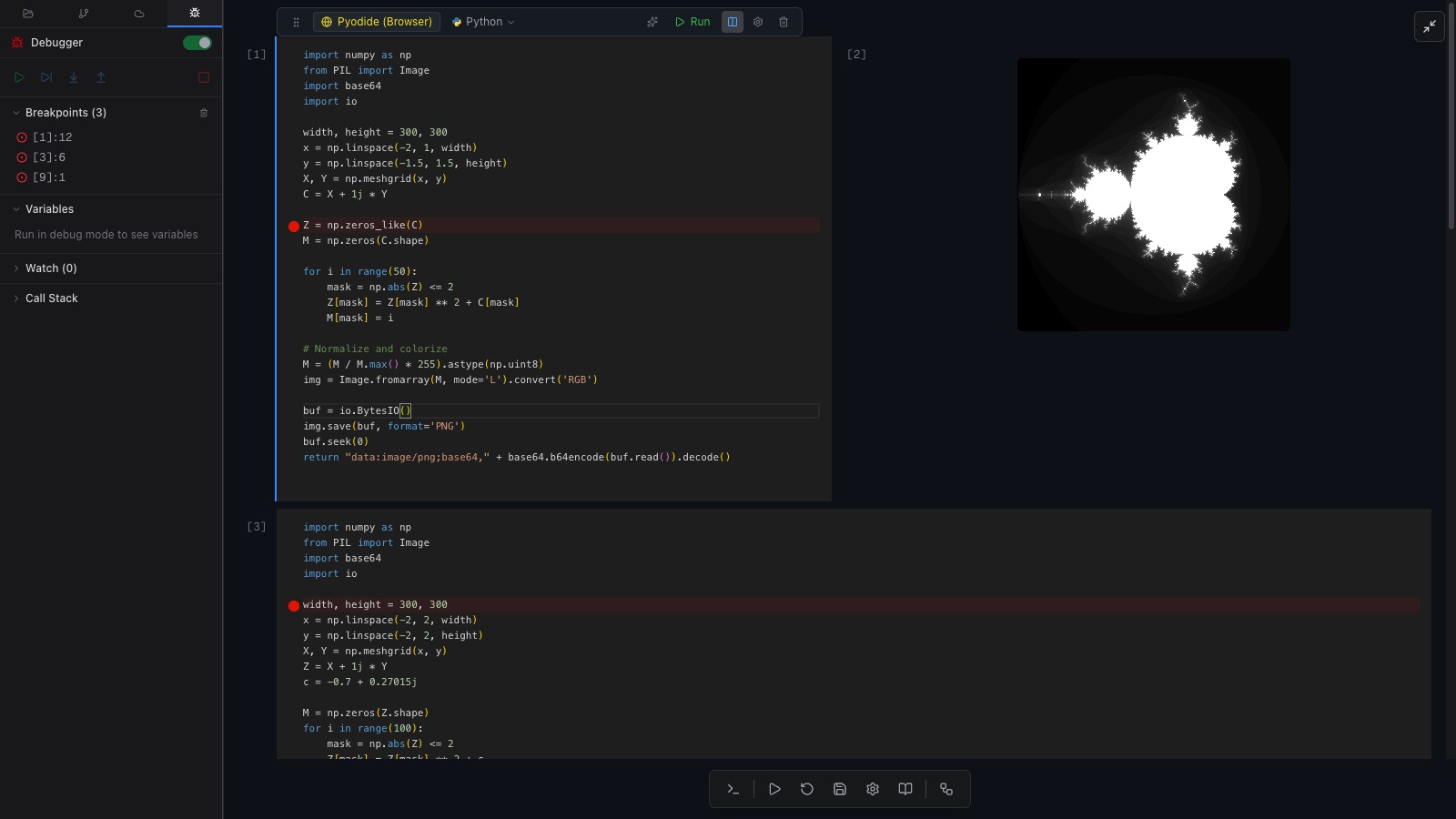
A cell stopped on a breakpoint, variables listed beside it.

Stop on the line and look at the values.

Breakpoints in a cell

Click the gutter of a Python or JavaScript cell to set a breakpoint, then run it in debug mode. Execution pauses on that line and the panel beside the CodeBook lists your breakpoints, the variables in the current frame, your watches and the call stack. Step from there.

A CodeBook with three code cells, red breakpoints in the cell gutters, and the Debugger panel open on the left showing Breakpoints, Variables, Watch and Call Stack

Breakpoints set on two cells, with the debugger panel alongside.

Variables stay put between cells.

One persistent state

Python cells in a CodeBook share a single live state. Load the data in the first cell, reshape it in the fourth, plot it in the ninth — it is all still there, and it survives a re-run of one cell in the middle. Reset clears the outputs and starts the state clean.

Shot needed
Two code cells, the second using a DataFrame the first created, both showing output.

A console at the bottom, on the same state.

The REPL

Open the REPL and poke at the variables your cells have just created — check a shape, try a filter, print a row. Each line becomes an entry you can copy, re-run or debug. When one works, promote it and it becomes a real cell in the document.

Shot needed
The REPL panel open under the CodeBook, a few transcript entries, one hovered showing Promote to Cell.

Every cell picks its own language.

Ten languages, one document

  • JavaScript, TypeScript, Python and Three.js run on the device you are working on. Shell runs when a machine of your own is connected.
  • Go, Rust, C, C++ and Zig compile through Circuit, the companion app on your Mac, PC or Linux box, using the toolchain installed there.
  • Python cells share the CodeBook's state. Cells in the other languages chain by data instead — each one takes the previous cell's output as its input.
Which language runs where →
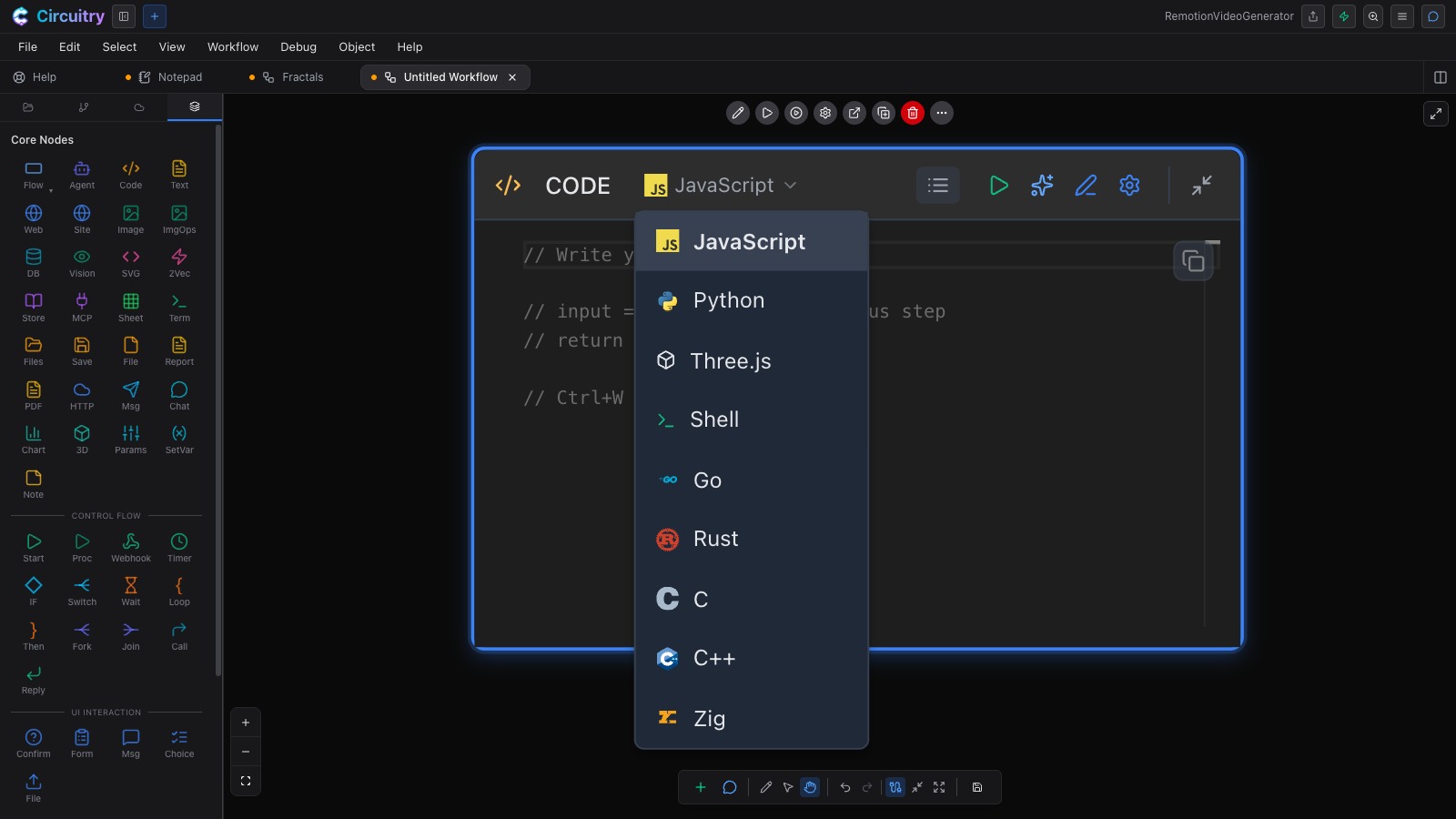
The language menu open on a code step: JavaScript, Python, Three.js, Shell, Go, Rust, C, C++ and Zig

The language list. Each cell carries the same picker in its toolbar, and switching one leaves the rest alone.

Choose where the cells run.

Browser, or a machine of your own

  • In the browser. Python runs in a worker on the device you are using — a phone or tablet as readily as the desk. The first run fetches the Python runtime, which takes a moment; after that it is local.
  • NumPy, Pandas, Matplotlib, SciPy, scikit-learn and Pillow are already there. !pip install fetches anything else.
  • On your own machine. Point the CodeBook at this computer, or at one you have connected through Circuit, and Python runs natively there.
  • JavaScript always runs in the browser sandbox. Each cell shows a badge saying where it is about to run.

The same document opens as a canvas.

CodeBook and graph

A CodeBook is a workflow, and a workflow can be read as a CodeBook — one document, two ways of looking at it. Stay in cells while you are thinking and narrating; flip to the canvas when the thing needs branches, loops, parallel steps, or to run on a schedule or a URL.

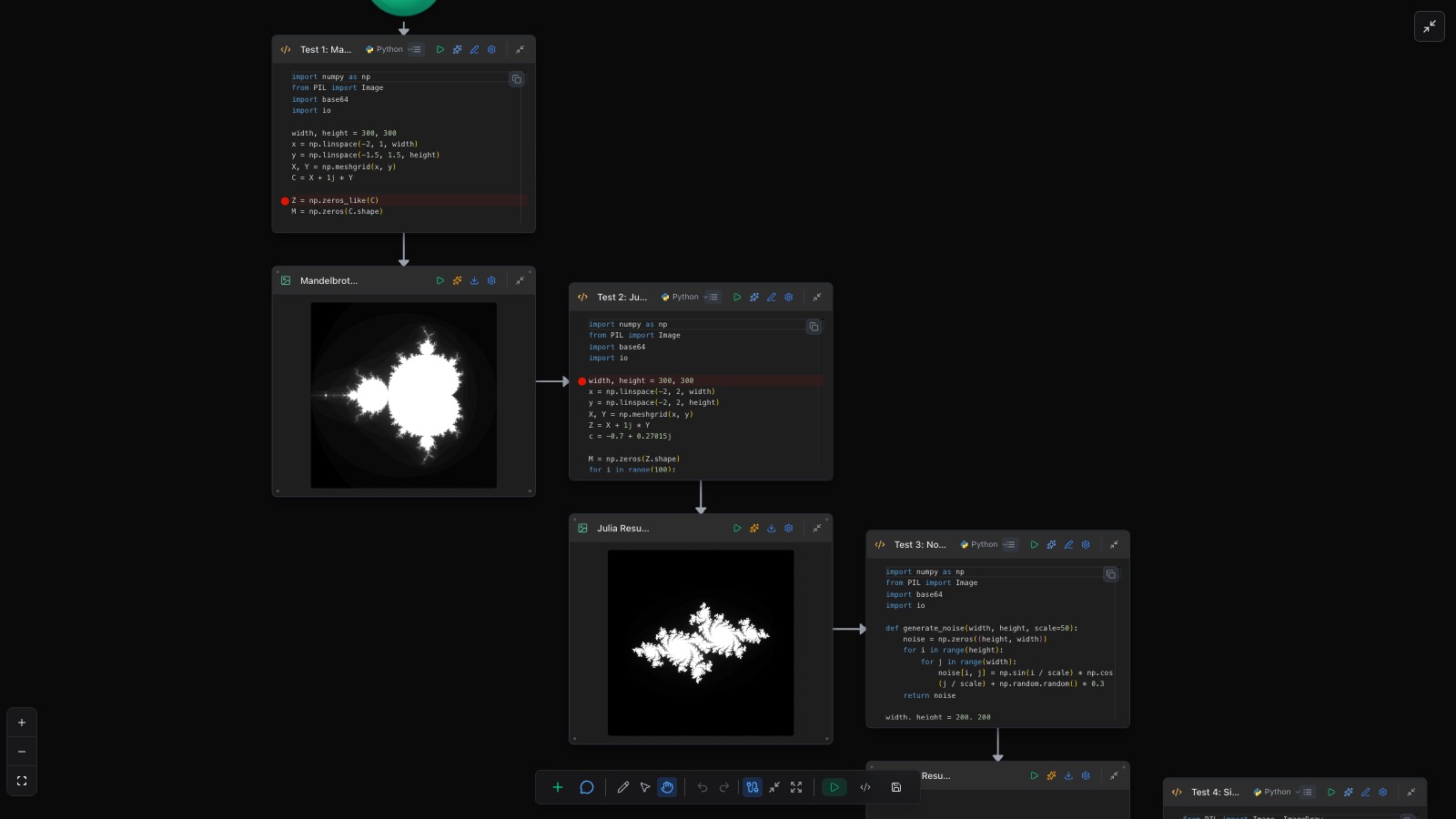
The same Python fractal notebook seen as a graph on the workflow canvas: code steps wired to image outputs

The canvas view of the CodeBook above — same cells, same code, wired up.

Prose, sheets, charts, figures and AI steps are cells too.

  • Text cells with a formatting toolbar, for the write-up that belongs with the result.
  • Sheet cells — an editable grid inline. Chart cells plot in place.
  • Figure cells — draw the diagram by hand, in the document, where it goes.
  • Agent cells — an AI step in the flow of the CodeBook, not off in a chat window.
Shot needed
A CodeBook mixing a text cell, a chart cell and a hand-drawn figure cell, one pair set side by side.

Fold the code away and it reads as a paper.

Reading mode

Collapse a cell to its output with the triangle in the margin, set a chart beside the paragraph that explains it, then switch to reading mode: the editing chrome goes and what is left is the document. Share the link and someone else reads it that way too.

Shot needed
The same CodeBook in reading mode — no toolbars, code folded, chart beside its paragraph.

Import the notebooks you already have.

File → Import turns an existing .ipynb notebook into a CodeBook — its code cells, its prose and its order — and from then on it is a Circuitry document like any other.

Open a CodeBook and run the first cell.

Free for non-commercial use. Compiled languages, and reaching your own machine from a phone or tablet, need a paid plan.

The other surfaces in the studio