TerminalShared terminal sessions across phone, desktop and tablet.

Your shells and your CLI coding agents run on your own Mac, PC or Linux box. Every device attaches to the same live sessions, so you carry on wherever you are — with vim keys and a developer key row to make a phone genuinely workable.

Part of Circuitry Studio — the same AI works in every surface, on the models you choose.
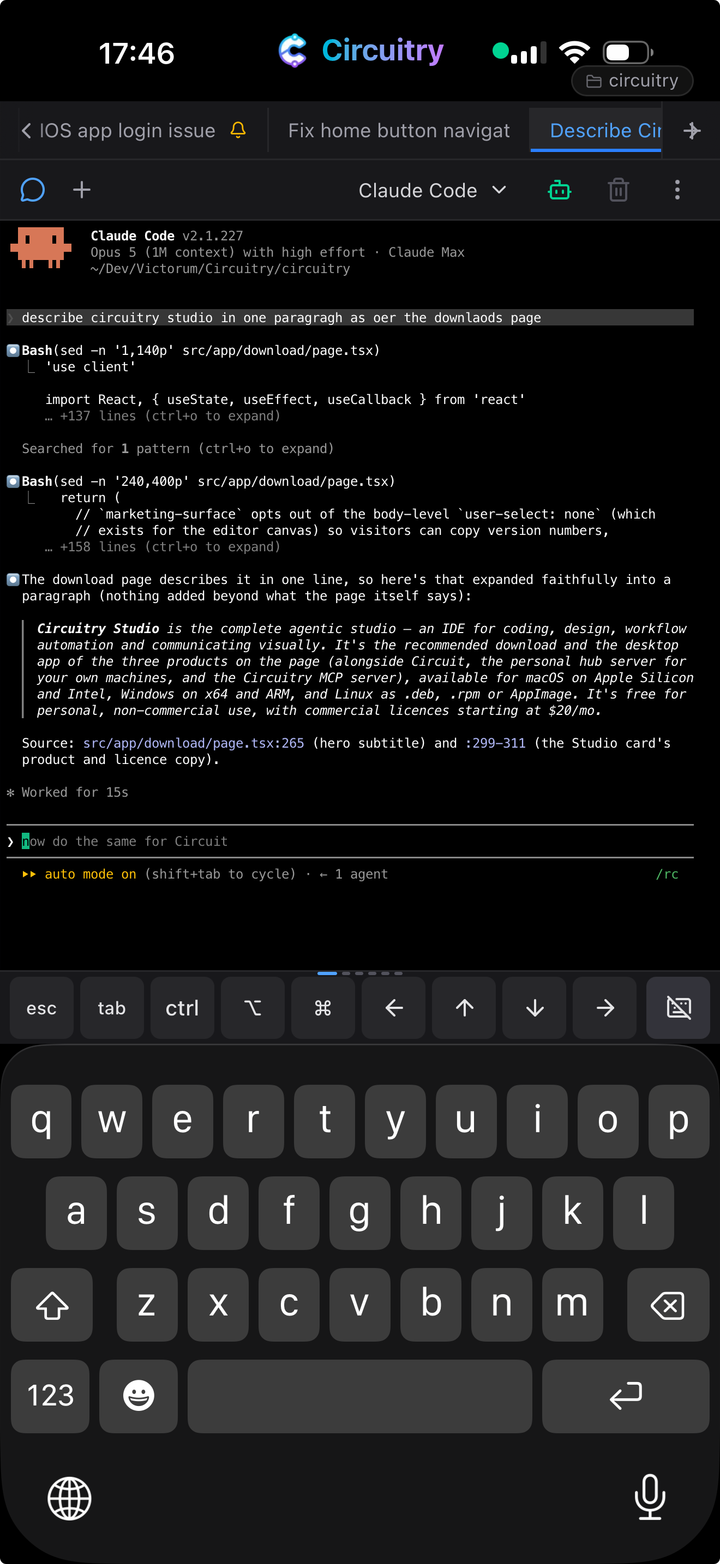
A coding agent running in a terminal on a phone, hosted on the Mac at home.

Faster navigation, in a few keystrokes.

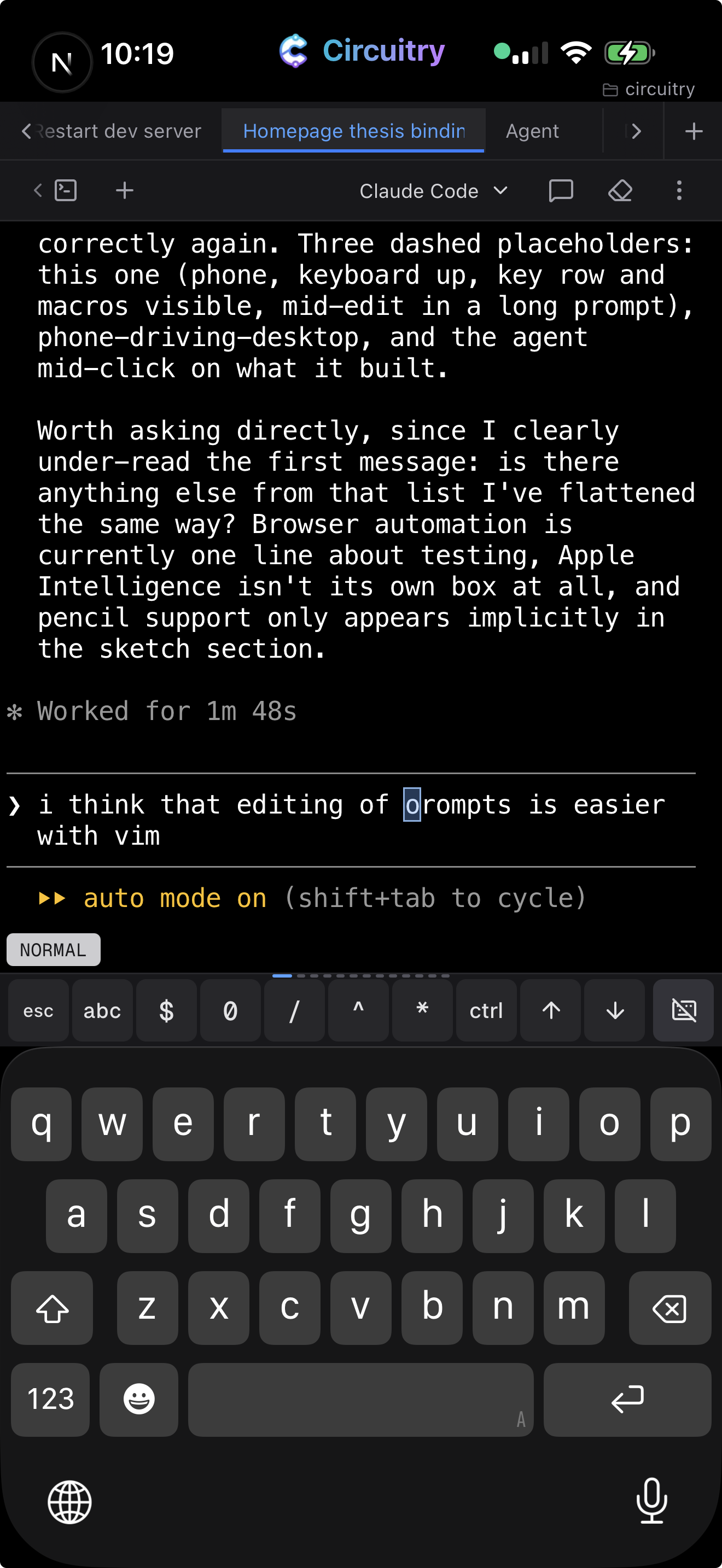
Vim support in terminals

Turn on vim keys and you move by word, line, screen or search match. An arrow key moves one character per tap; a word jump crosses a whole path. Navigation, search, selection and copy work anywhere on screen; editing applies to the line you are typing.

Off until you turn it on, because it changes what Esc does. There is a practice trainer in the docs.

Vim normal mode in a terminal on a phone, the key row above the keyboard

Normal mode on a phone.

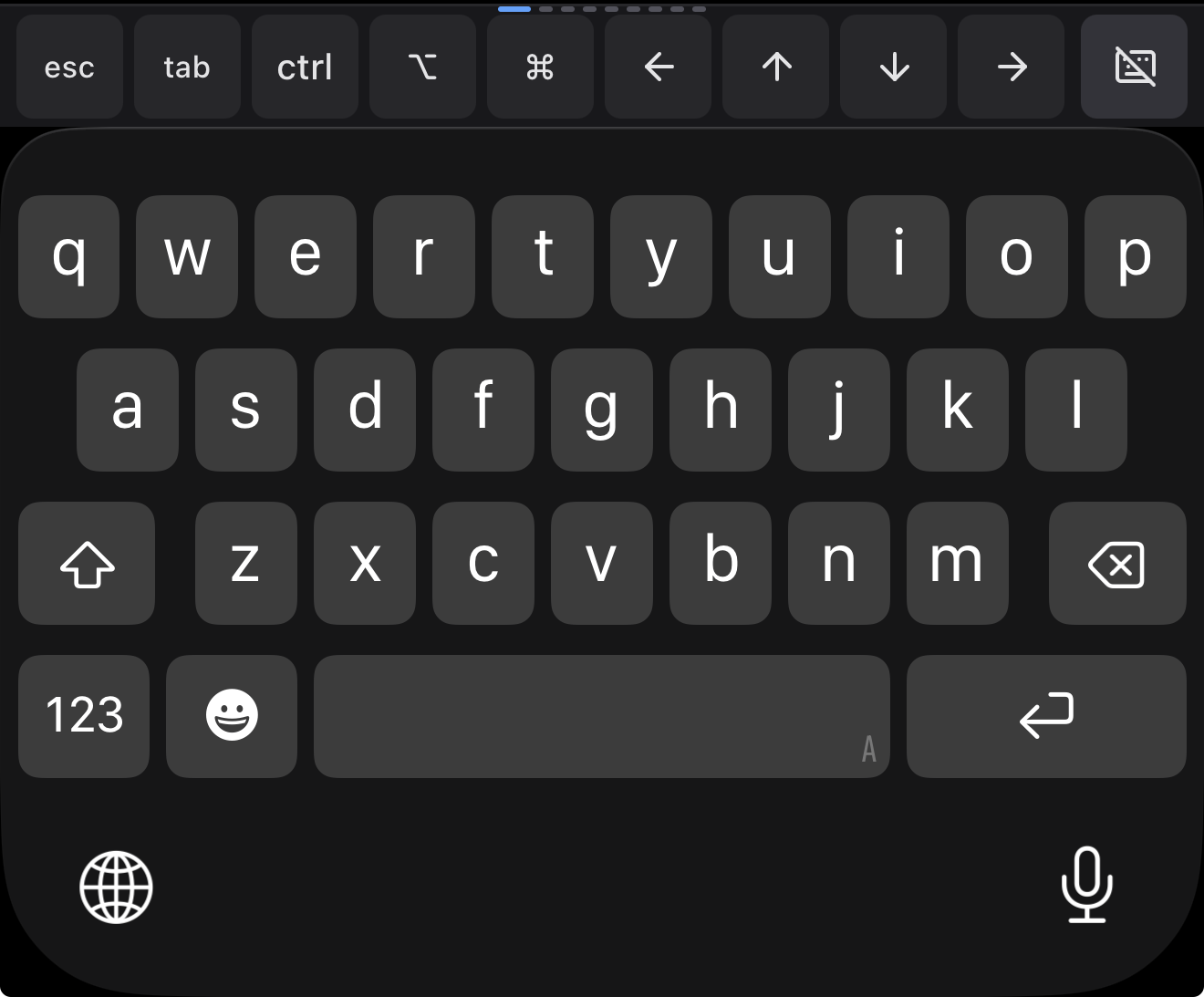
An extra developer key row on phones.

Swipe between pages of it: key groups, vim shortcuts, and your own macros — a phrase you type often, behind one tap.

The developer key row above the iOS keyboard: esc, tab, ctrl, option, command and arrows

The key row, above the ordinary keyboard.

Circuit

The same session, on every device.

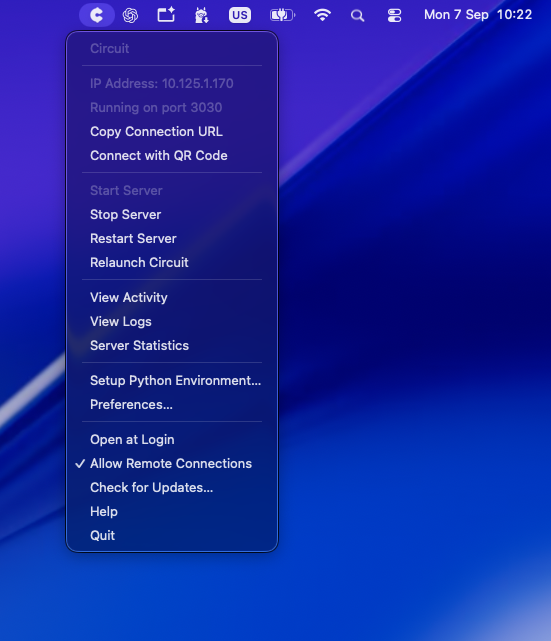
Circuit runs on your Mac, PC or Linux box and holds the sessions. Every device attaches to the same ones — open a session on your phone and it is the session, still running, same scrollback. Scan its code once to connect a device.

Connecting your own machine is on the paid plan.

The Circuit menu bar app on macOS, showing the connection URL and QR code pairing Scan a QR code to pair

Circuit’s entire interface.

Circuit

Connect to your Mac, PC or Linux box over your wifi.

Home Circuit

Tunnel back to your machine securely. No ports to open on your router.

Cloud Circuit

A Linux machine in the cloud, for when running Circuit at home is not possible.

Continue on every device you own.

Free for non-commercial use. Reaching your machine from a phone or tablet needs a paid plan.

The other surfaces in the studio